

Not sure where to start? Let’s break down the process of self publishing a children’s book.
- Who this blog is for: authors who already have a manuscript
- What this blog does not cover: writing tips, marketing, or sales strategy
- What this blog does focus on: production, design, formatting, and preparing your children’s book for print and ebook formats
Self publishing can be a pretty daunting task to undertake, so my goal in this blog is to remove as many obstacles from your way as possible so you can focus on doing what you enjoy the most – writing.
Here are some of the key services you’ll need in order to self publish your children’s book:
- Professional illustrations
- Layout, design & formatting
- A reliable printing service
- Additional professional support – like editors, ISBNs, and formatting help
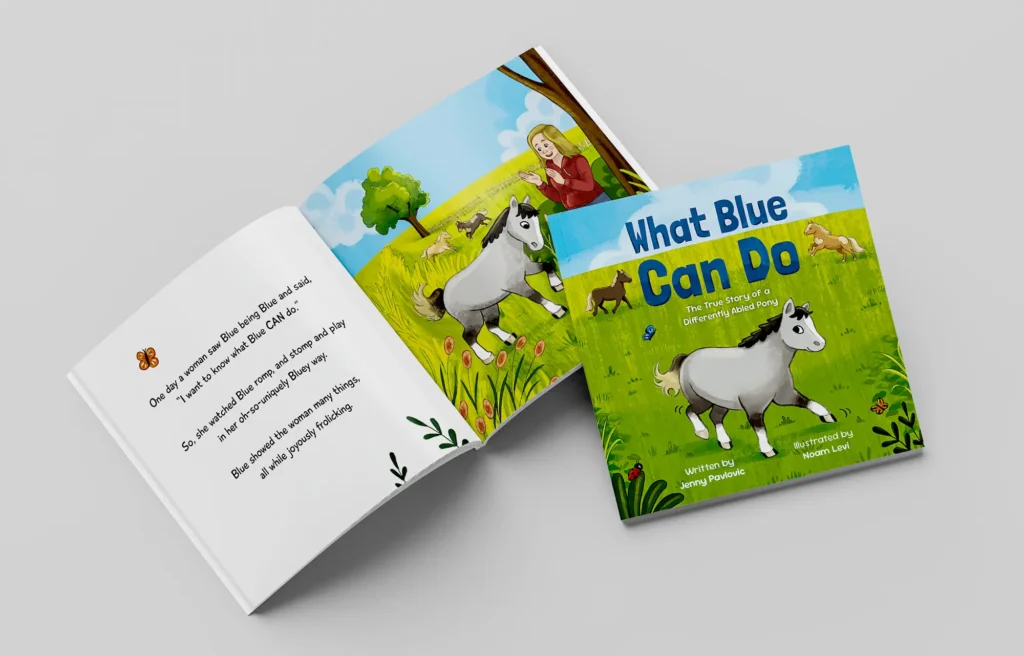
Finding a professional children’s book illustrator
Let’s start with arguably the most important thing to consider when you’re searching for an illustrator – “pretty” isn’t enough.
When authors choose an illustrator, they often focus only on the visuals. While they should still be at the top of your list, they’re only part of the equation. You’re going to be working closely together likely for months – so communication and collaboration are just as essential as artistic skill.
Yes, sometimes everything clicks on the first try – but more often, it takes a few rounds of feedback to get each page just right. The illustrations are there to serve the story. If they don’t clearly support the narrative or evoke the right feeling, then they’re missing the point.
It’s important that when you’re viewing an illustrator’s portfolio, that you check for exactly that type of thing. Look for spreads with clear movement, not stationary characters that don’t seem to be doing much except for looking pretty.
When you find an illustrator you like, do one (or ideally both) of the following:
- Check for reviews, and pay close attention to what people say about their work ethic and professionalism – not just the final result.
- Pay for a sample before committing to a full book.
I know not everyone has the budget to request samples from multiple illustrators, and I completely understand that. But if it’s something you can afford, it can save you both time and money in the long run by helping you avoid unprofessional illustrators or opportunistic AI scammers. A sample gives you a chance to see how they communicate and collaborate: Do they take feedback well? Are they responsive and engaged, or just doing the bare minimum? Do they reply in a timely manner, or go quiet for weeks with no explanation?
Two important tips before you pay for a sample:
- Make sure you agree in advance on how many revisions are included in the price. It can feel uncomfortable asking for changes if expectations aren’t clear – but revisions are a normal and important part of children’s book illustration. You shouldn’t feel bad about requesting them.
- Ask the illustrator for an estimate of how long it’ll take them to finish the sample. You shouldn’t feel bad about asking for updates either. When you go the traditional route, a lot of these things are taken care of for you – but when you’re self publishing a children’s book, you’re your own advocate. Don’t be afraid to be clear about your vision.
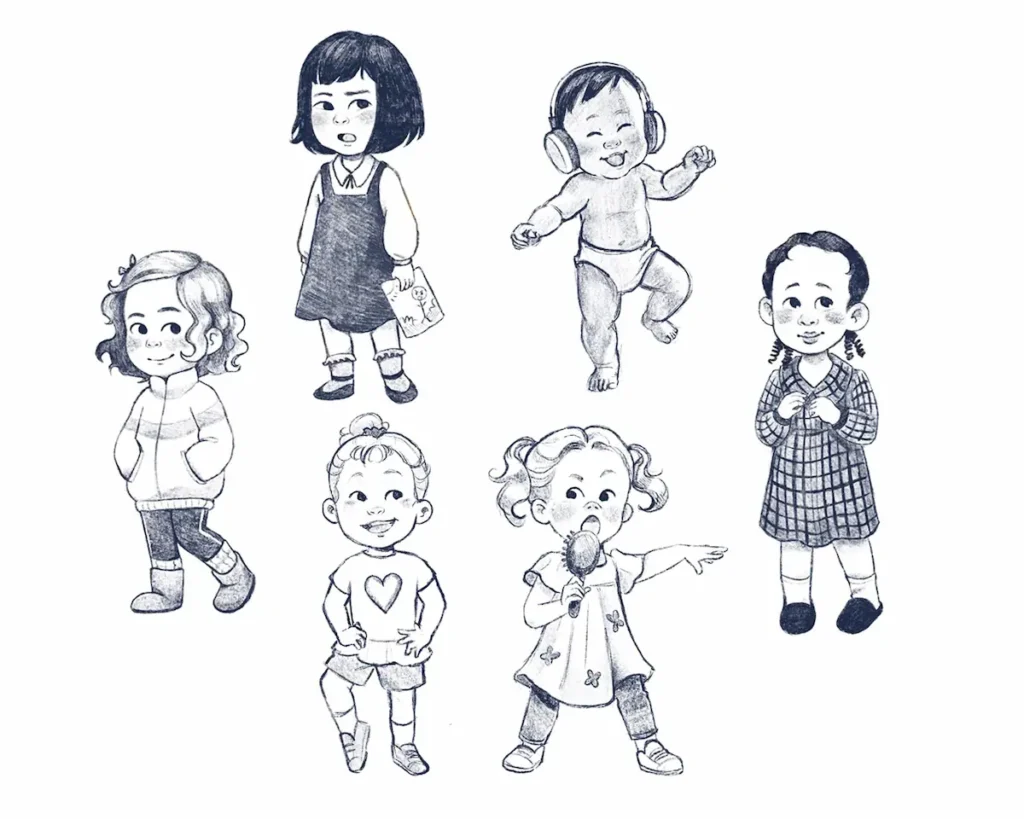
Some red flags to be on the lookout for:
- If you pay for a sample and don’t hear anything within the agreed upon timeline, that’s concerning. Emergencies happen, of course – but most professional illustrators will communicate if something comes up. Ghosting is not a good sign. Even if they reply two weeks later than agreed upon – that’s someone you should think twice about hiring – especially if you have a specific deadline in mind.
- If their portfolio shows drastically inconsistent styles, it could be a sign that they’re:
- 1. Using AI-generated art 2. Using clipart. 3. Stole the art from multiple other artists or 4. They’re still early in their artistic development. If it’s the fourth option, that’s not necessarily a dealbreaker – especially if you’re on a tight budget. Just be aware that they might be lacking in areas where professional illustrators aren’t.
I wrote an in-depth blog about the most common types of illustration scams and how to spot them, so if this is a subject you’re worried about – click here.
Layout, Design and Formatting
So this topic can often be confusing – mainly because the three often overlap. Still, here’s a quick breakdown:
Layout
- Placing text in the right positions on each page.
- Ensuring consistent spacing, margins, and alignment
- Handling gutter space, bleeds, and spreads
Design
- Choosing fonts & colors (though in children’s books, the illustrations usually carry most of the visual weight)
- Deciding on visual hierarchy. For example, making one sentence/word bigger and bolder than the rest of the text for emphasis.
- Ensuring the text interacts well with illustrations – like wrapping it around a character or other visual elements.
Formatting
- Exporting files in the correct size, resolution, color mode (CMYK, 300dpi, etc.)
- Ensuring bleed, trim, and margin requirements are met
- Embedding or outlining fonts
- Creating print-ready PDFs or EPUBs (for ebooks)
- Making sure file sizes meet upload limits
- Ensuring file sizes and specifications match your chosen publisher’s requirements
💡 Tip: Some illustrators offer layout, design, and formatting services too – so be sure to ask what’s included when you hire one.
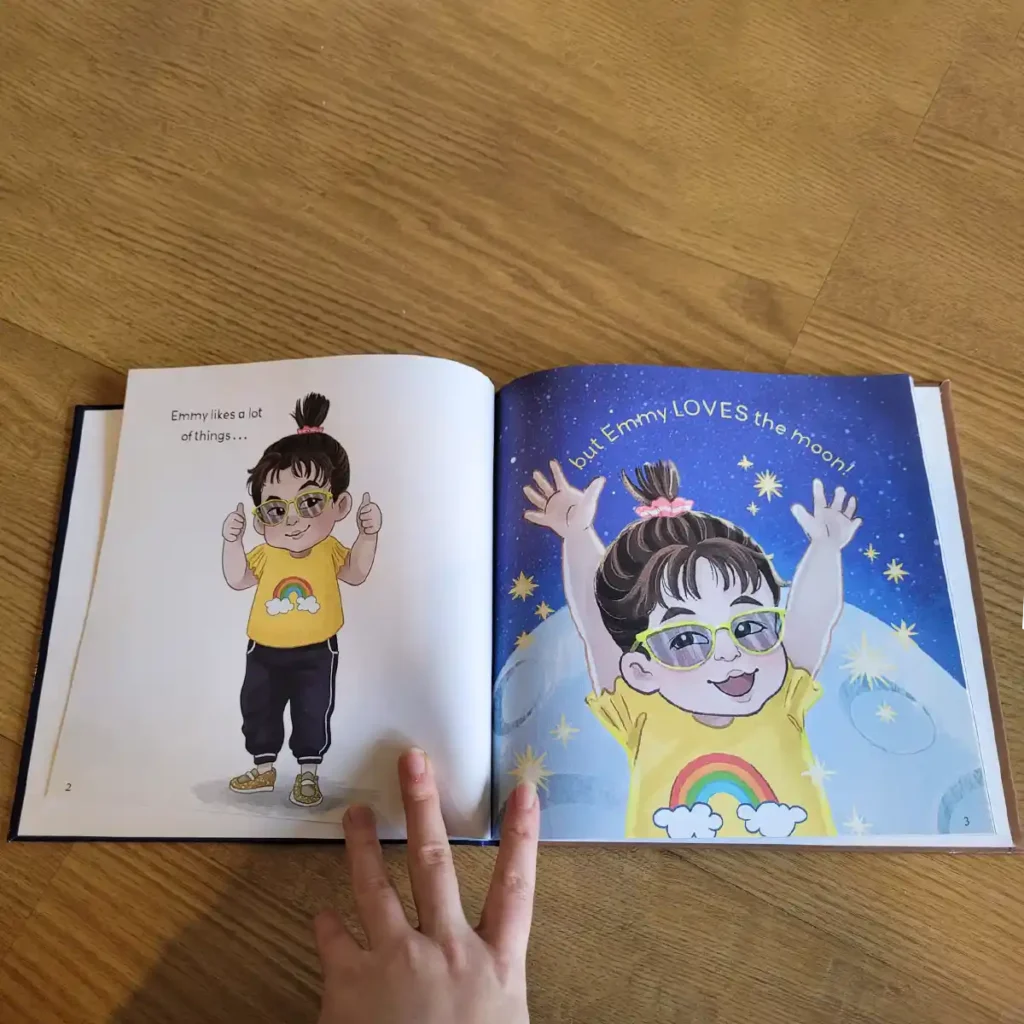
All three stages play a big role in how smoothly the story flows – even if they’re easy to overlook. I’ve seen cases where a beautifully written and illustrated book lost its impact due to misaligned text, poor spacing, or dialogue vanishing into the gutter. You don’t have to go overboard with spending here – but it’s definitely worth making sure that this part doesn’t detract from the story you’ve worked so hard to bring to life.
If your illustrator doesn’t offer layout, design, or formatting – and hiring someone isn’t within your budget – you can absolutely learn to handle it yourself. Just keep the following in mind:
- Your font has to be legible. Choose a font that’s easy to read, and make sure your text is at least 16pt or larger.
- Check the license. Ensure the font you’re using allows for commercial use. Many free fonts don’t.
- Maintain contrast. Your text should stand out clearly against the illustration behind it. Professional illustrators will leave relatively empty space in the artwork for text placement, but even then, make sure there’s enough white space around the text. Avoid placing it too close to the page edges or over important parts of the illustration – this can make the layout feel crowded or unprofessional.
- Account for gutter and bleed. When placing your text, remember that part of the page will be lost in the center fold (gutter), and you’ll need to leave space beyond the trim line (bleed) if your illustrations go all the way to the edge.
My biggest tip?
Try laying out your pages in a free design tool before you hire an illustrator. It’ll help you figure out exactly how many illustrations you’ll need, and you’ll instantly spot pages that feel too text-heavy.
To make things easier, I’ve created two layout templates – one for 8.5 x 8.5 and one for 8.5 x 11 – which are two of the most common sizes for children’s books. Those templates were created using Figma, which is a free tool and to use it you only need to make an account (I promise you it only takes a minute). You can fully customize the templates to fit your own manuscript: just double-click the text to change the font or font size using the panel on the right, or click once to move it around the page.
**Keep in mind that these templates are not intended for full book formatting – for that, you’ll need a program designed to prepare files for print or ebook publishing.
Click here for the templates.
Printing
There are multiple options to choose from, but I will cover the most popular ones that are currently on the market and their pros and cons.
Amazon KDP
✅ Pros:
- Print-on-demand: No upfront printing costs so therefore there isn’t really any risk for putting your book out there.
- You don’t have to set up your own website, Amazon is your platform. That’s a big benefit when self publishing a children’s book.
❌ Cons:
- Print quality can vary: I’ve heard many authors say that the print quality isn’t as good as other services they’ve tested.
- Recently they did away with hardcovers for some of the most popular picture book sizes.
IngramSpark
✅ Pros:
- Professional-grade printing: Better paper quality, hardcover options, and more trim sizes than KDP.
- Control over pricing: You can set your wholesale discount and returnability.
- Print-on-demand
- Non-exclusive – You’re free to publish with other services (e.g., KDP) at the same time.
- Hardcover versions available for all of the most common picture book sizes.
❌ Cons:
- Returns risk: If you make your book returnable for retailers, you bear the cost of unsold returns.
- Less intuitive interface: Not as user-friendly for beginners, and it can take a bit longer to learn how to set things up.
BookBaby
✅ Pros:
- One-stop shop: Offers editing, design, printing, and distribution.
- High print quality: Good for heavily illustrated children’s books.
- Hardcover and softcover options: More flexibility than KDP.
- Global distribution: To Amazon, Barnes & Noble, Apple Books, and more.
❌ Cons:
- High upfront cost: Packages often start in the hundreds or even thousands of dollars.
Blurb
✅ Pros:
- High print quality & vibrant color
- Flexible layout tools
- One-off and print-on-demand capability
❌ Cons:
- Higher cost per copy
There are plenty of other options on the market if the ones above don’t meet your criteria, so I encourage you to explore further if needed. Self publishing a children’s book can sometimes require quite a bit of research and testing services out to test their quality – but if you take your time with it I’m sure the book you end up with will be all the better for it.
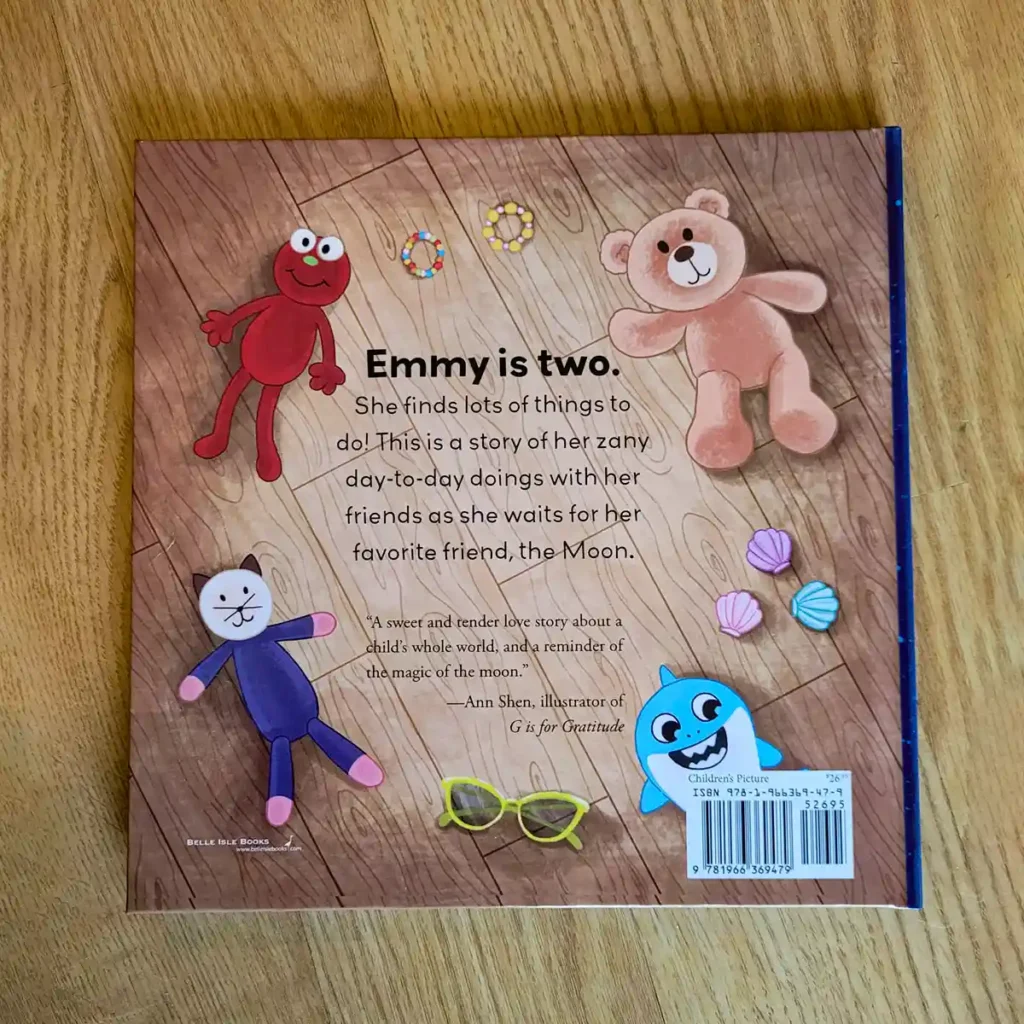
Next, let’s talk about something a bit more technical – but still very important: ISBNs.
So, what’s an ISBN? ISBN stands for International Standard Book Number. Think of it as a global ID for your book – it tells retailers, libraries, and distributors exactly which book they’re handling.
Getting one is easy. You have two main options:
- Use a free ISBN from a self-publishing platform like Amazon KDP or IngramSpark.
- Or buy one directly from your country’s official ISBN agency.
Once you have an ISBN you’ll need to generate a barcode for it. There are plenty of free tools that you can use to do that, just remember that if you have more than one version of your book, for example a paperback, a hardcover, and an ebook version – you’ll need a separate ISBN and barcode for each.
This about wraps this up.
I know this may seem overwhelming, but take it step by step. When self-publishing a children’s book, you don’t need to handle everything at once, and the professionals you hire along the way will be able to guide you through a lot of it.
If you have any questions that weren’t answered in this blog – feel free to leave me a comment or get in touch. I would love to help!
Good luck!